
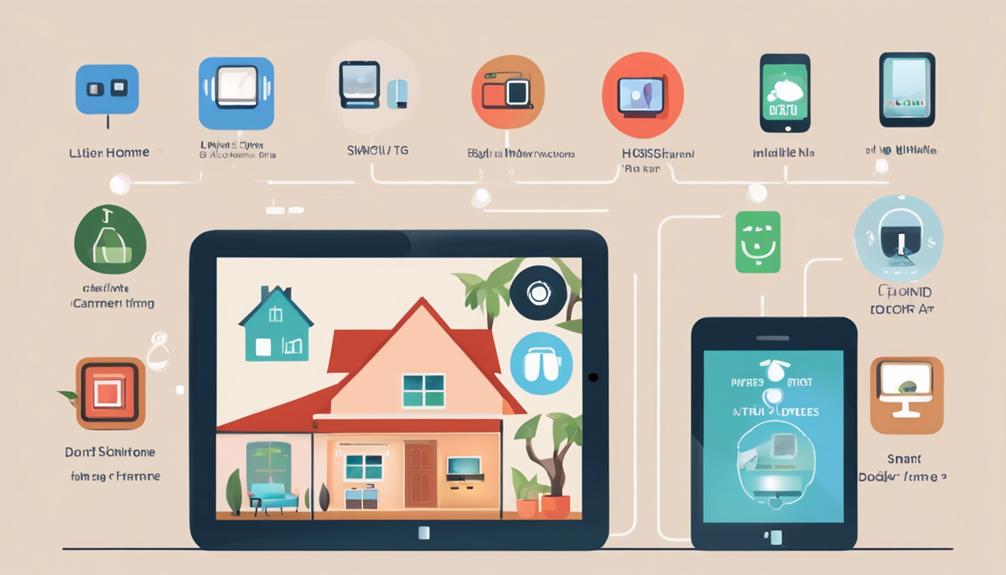
You can boost your home's security without breaking the bank. Start with a smart doorbell, which offers advanced surveillance features and real-time communication with visitors, all for under $100. Next, consider DIY security camera hacks or affordable smart lock options that offer keyless convenience and remote monitoring. Don't forget motion sensors for total coverage and smart plugs to control devices remotely. And, with voice assistants, you can arm/disarm your security system with just your voice. From here, you can take your home's security to the next level – and learn how to make the most of these affordable smart tech solutions.
Smart Doorbells for Enhanced Surveillance
By installing a smart doorbell, you're taking the first step towards beefing up your home's surveillance, and getting a clearer view of who's knocking on your door. You'll no longer have to wonder who's visiting when you're not home, or worry about missing a delivery. With a smart doorbell, you'll receive instant notifications whenever someone presses the bell or approaches your door.
You'll be able to see, hear, and speak with visitors in real-time, thanks to the built-in camera, microphone, and speaker. This feature is especially useful for elderly or disabled individuals who may have difficulty reaching the door. You can even use the two-way audio to instruct delivery personnel to leave packages at the door or with a neighbor.
Smart doorbells often come equipped with motion detection, alerting you to any suspicious activity around your home. Plus, many models have night vision, ensuring you can see what's happening even in the dark. With cloud storage, you can review footage from the past, providing an added layer of security and peace of mind. By incorporating a smart doorbell into your home security system, you'll feel more connected and in control, no matter where you are.
DIY Home Security Camera Hacks
Since you're already taking steps to boost your home's security with a smart doorbell, why not take it to the next level with some creative and budget-friendly DIY camera hacks? With a little creativity, you can turn old smartphones, tablets, or laptops into functional security cameras. You can repurpose old devices as dedicated security cameras, using free apps like IP Webcam or Alfred to stream video feed directly to your phone or tablet. This way, you can keep an eye on your home's interior and exterior without breaking the bank.
Another clever hack is using a fake security camera as a deterrent. You can purchase a dummy camera or create your own using a plastic case, some paint, and a few screws. Place it in a visible spot, and potential intruders will think twice before attempting a break-in. You can also get crafty with a Raspberry Pi and turn it into a motion-detecting camera that sends notifications to your phone.
Lastly, consider upcycling old webcams or security cameras by giving them a fresh coat of paint or decorative casing to blend in with your home's aesthetic. With a little creativity, you can create a robust home security system that's both effective and budget-friendly. By thinking outside the box, you'll be able to enjoy peace of mind without breaking the bank.
Affordable Smart Lock Options
You're probably wondering what smart lock options are out there and which ones fit your budget. Let's break down the different types of locks, from biometric to Wi-Fi enabled, to help you decide. By exploring the pros and cons of each, you'll be able to find a keyless convenience that suits your needs and wallet.
Lock Types Compared
With numerous affordable smart lock options available, choosing the right one can be overwhelming, but understanding the differences between lock types can simplify the decision-making process. You want to make an informed decision that fits your needs and budget.
When it comes to smart locks, you'll encounter various types, each with its unique features and benefits. Here are some key distinctions to take into account:
- Deadbolts: Traditional locks with a bolt that extends into the door frame, providing maximum security.
- Latch locks: Less secure than deadbolts, but still effective, with a spring-loaded latch that retracts when the door is closed.
- Mortise locks: Integrated with the door's mortise (a recessed area), offering a high level of security and durability.
- Rim locks: Surface-mounted locks attached to the door's surface, often used in conjunction with other locks.
- Electronic locks: Keyless entry locks that use codes, biometric data, or smartphones for access.
Budget-Friendly Options
You can secure your home without breaking the bank, thanks to a range of budget-friendly smart lock options that offer impressive features at an affordable price. With prices starting from as low as $50, you can enjoy the convenience and security of smart locks without draining your wallet. For instance, you can opt for a smart lock with keyless entry, remote access, and voice control, all for under $100.
One popular option is the August Smart Lock, which integrates seamlessly with your smartphone and allows you to grant access to guests or service providers remotely. Another affordable option is the Wyze Lock, which offers advanced features like biometric authentication and smart home integration at a fraction of the cost of high-end smart locks.
When shopping for a budget-friendly smart lock, look for options with Wi-Fi or Bluetooth connectivity, remote access, and voice control. Be sure to read reviews and check the lock's compatibility with your smartphone and existing door hardware. With a little research, you can find a smart lock that fits your budget and provides the security and convenience you need.
Keyless Convenience
Say goodbye to fumbling for keys in your pocket or purse – affordable smart locks now make keyless convenience a reality. You'll no longer have to worry about lost or stolen keys, or dealing with the hassle of spare keys. With a smart lock, you can simply use your smartphone to open your door, granting you easy access to your home.
Here are some benefits of keyless convenience:
- Grant access to guests or service providers with temporary digital keys that expire after a set period
- Monitor and control access to your home from your smartphone, no matter where you are
- Receive notifications when someone enters or exits your home
- No more key duplication or worrying about unauthorized key copies
- Integrate with other smart devices for a seamless home automation experience
With these affordable smart lock options, you can enjoy the freedom and flexibility that comes with keyless convenience, while still maintaining the security and peace of mind you need to feel safe in your home.
Motion Sensors for Total Coverage
Install motion sensors in strategic locations to create a robust security network that detects even the slightest movements around your home. These small yet powerful devices are the backbone of a thorough smart home security system. By placing them in areas like hallways, stairwells, and corners, you'll be alerted to any unexpected activity, giving you peace of mind and a sense of security.
When choosing motion sensors, consider ones that are wireless, battery-powered, and equipped with advanced features like pet-immunity and adjustable sensitivity. This guarantees that your system won't be triggered by your furry friends or minor movements. Look for sensors that integrate seamlessly with your existing smart home setup, allowing you to receive real-time notifications and alerts on your smartphone or tablet.
You'll want to place motion sensors in areas that provide maximum coverage, such as near doors, windows, and potential entry points. This will help you stay informed about any unusual activity, even when you're not at home. By combining motion sensors with other smart devices, like security cameras and door locks, you'll create a strong security ecosystem that works together to keep your home and loved ones safe. With motion sensors, you'll never be caught off guard again – you'll be the first to know when something's amiss, and you'll be able to respond quickly to potential threats.
Smart Plugs for Device Control
With smart plugs, you can easily control your devices remotely, turning them on and off from your phone or tablet. You'll also get a better understanding of how much energy each device is using, helping you identify areas where you can cut back. By plugging your devices into these smart outlets, you'll experience the convenience of plug-and-play ease, and start enjoying the benefits of smart home automation.
Plug and Play Ease
By simply plugging in a smart plug, you can instantly transform any device into a smart one, giving you effortless control over it from your phone or voice assistant. This "plug and play" ease makes it incredibly simple to get started with smart home technology, even if you're not tech-savvy.
With smart plugs, you can:
- Control devices remotely, turning them on and off with a tap on your phone
- Set schedules for your devices to turn on and off automatically
- Monitor energy usage and identify areas for improvement
- Receive notifications when a device is turned on or off
- Integrate with popular voice assistants like Alexa or Google Assistant
This level of control and visibility can bring a sense of comfort and security to your home. Plus, smart plugs are often affordable and easy to set up, making them a great entry point into the world of smart home technology.
Remote Device Control
Controlling your devices remotely becomes a breeze with smart plugs, allowing you to turn them on and off from the comfort of your couch or from another room. This means you'll never have to worry about leaving the lights on when you're not home or fumbling for switches in the dark.
With smart plugs, you can control your devices from your phone or voice assistant, making it easy to turn on the coffee maker or lamps without getting out of bed. You can even schedule devices to turn on and off automatically, so you can come home to a well-lit and cozy living room.
Here are some popular smart plug options:
| Smart Plug | Features |
|---|---|
| TP-Link Smart Plug | Remote control, scheduling, energy monitoring |
| Belkin WeMo Insight | Remote control, scheduling, energy monitoring, voice control |
| iDevices Switch | Remote control, scheduling, energy monitoring, voice control, Apple HomeKit integration |
| Amazon Smart Plug | Remote control, scheduling, voice control, Alexa integration |
With smart plugs, you'll have peace of mind knowing your devices are under your control, no matter where you are.
Energy Monitoring Capabilities
You can take your smart plug experience to the next level by tracking your devices' energy consumption in real-time, allowing you to identify areas where you can cut back on waste and save on your utility bills. This feature is especially helpful for identifying "vampire" devices that continue to draw power even when turned off. By monitoring energy usage, you'll be able to pinpoint opportunities to reduce your energy consumption and lower your bills.
Here are just a few ways energy monitoring capabilities can benefit you:
- Identify energy-hungry devices: See which devices are using the most energy and adjust your usage accordingly.
- Optimize your schedule: Use energy usage data to schedule device shutdowns during periods of inactivity.
- Reduce standby power consumption: Identify devices that continue to draw power when turned off and unplug them or use smart plugs to cut power completely.
- Set energy budgets: Establish energy usage goals and receive alerts when you're approaching or exceeding them.
- Track progress over time: Monitor your energy usage trends to see the impact of your efforts and make data-driven decisions.
Voice Assistants for Security Integration
With a single voice command, you can arm and disarm your security system, lock doors, and even receive alerts and notifications. Voice assistants like Alexa, Google Assistant, or Siri can seamlessly integrate with your smart home security system, making it easy to stay on top of your home's safety from anywhere. Imagine coming home to a well-lit, warm, and secure environment, all with just a few spoken words.
You can also use voice assistants to receive real-time updates on your home's security status. For instance, you can ask your assistant to check if all doors and windows are locked, or if the security system is armed. This feature is especially useful when you're away from home and want to guarantee everything is secure.
Moreover, voice assistants can be integrated with other smart devices, such as security cameras, doorbells, and sensors, to provide a complete security solution. You can receive notifications when motion is detected, or when someone rings your doorbell. This way, you can stay informed and take prompt action in case of any unusual activity.
Frequently Asked Questions
Can I Use Smart Home Devices With My Existing Security System?
You're wondering if your old reliable security system can get along with the new kid on the block – smart home devices. The good news is, you don't have to choose between the two. Many smart devices can seamlessly integrate with your existing system, creating a powerful security duo. You can breathe a sigh of relief, knowing your home is now a fortress, with both old and new tech working in harmony to keep you and your loved ones safe and sound.
Are Smart Home Devices Compatible With All Internet Providers?
You're wondering if your smart home devices will play nice with your internet provider. The good news is that most smart home devices are compatible with major internet providers, like Comcast, AT&T, and Verizon. However, it's always a good idea to check your device's compatibility with your provider before making a purchase. You can usually find this info on the device's website or by contacting your provider directly.
Do Smart Home Devices Require a Lot of Technical Expertise?
You might think you’re not tech-savvy enough to set up smart home devices, but don’t worry, you don’t need to be a genius to get started. In fact, most devices come with user-friendly instructions and apps that guide you through the process. You’ll be surprised at how easily you can connect and customize your devices. With a little patience, you’ll be enjoying the benefits of smart home security in no time, feeling safe and connected in your own home. You can begin with just one or two gadgets, such as smart bulbs or a voice assistant, to ease into the experience without feeling overwhelmed. Remember, setting up smart home devices not only enhances your daily convenience, but it also allows for better management of your energy consumption and security. As you gain confidence, you can gradually expand your smart home ecosystem, making your living space even more efficient and enjoyable.
Can I Control My Smart Home Devices When I'm Not at Home?
You're wondering if you can control your smart home devices even when you're not at home? Absolutely! With most smart devices, you can control them remotely through mobile apps. You can turn lights on or off, adjust the thermostat, or even check security cameras from anywhere, as long as you have an internet connection. This means you can stay connected to your home, no matter where you are.
Are Smart Home Devices Vulnerable to Hacking and Cyber Attacks?
A million hackers are lurking in the shadows, waiting to pounce on your smart home devices! But don't panic, you're not defenseless. Yes, smart home devices can be vulnerable to hacking and cyber attacks if not properly secured. You wouldn't leave your front door open, so why leave your devices exposed? Take control by using strong passwords, keeping software up-to-date, and using two-factor authentication. You've worked hard to make your home a haven, so protect it from cyber threats.
